 Get a Quote
Monitoring Systems
M6 Monitoring Device
Low-power GNSS monitoring machine for geological disaster warning and remote status reporting.
M6Monitoring Systemsmonitoring systems
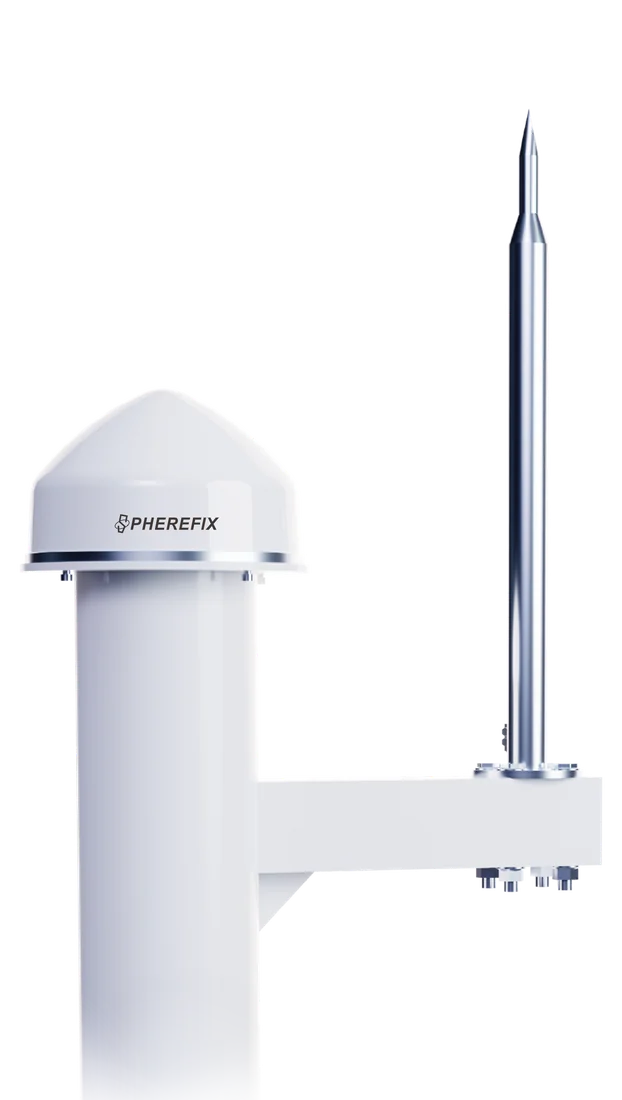
Source Page Excerpt
M6 product overview from Spherefix source content.
This framework is prepared for distributors, importers, project contractors and technical buyers. The blank image and copy zones can be replaced later with final product renders, field photos, videos, certificates and localized sales messages.
Recommended page assets
- Front-facing product render or transparent PNG
- One field application photo or short video
- Final datasheet, manual and software download links
- Confirmed warranty, package list and certification text
Product Features
Core selling points prepared for a full product page.
Use these blocks as editable placeholders; each one can later be expanded with detailed copy and images.Positioning Performance
Reserve this area for accuracy, constellation support, signal tracking and real-world performance under typical project conditions.
Smart Field Operation
Use this block for tilt measurement, AR stakeout, photogrammetry, machine guidance, USV route planning or monitoring workflow details.
Connectivity & Integration
Describe radio, NTRIP, Bluetooth, Wi-Fi, controller, software, sensor payload or third-party integration options here.
Rugged Field Design
Add final content for ingress protection, weight, battery life, operating temperature, mounting, package list and warranty terms.
Field Workflow
Explain the real job this product helps users finish.
Keep this section close to the buyer's daily workflow: setup, correction source, measurement, quality check, data export and after-sales support. It is designed to hold either short paragraphs or product-specific marketing copy later.
Setup and connection guidance Field data collection or machine operation Export, reporting and project handoff
Application image / workflow screenshot replaceable
Workflow Framework
From product selection to field deployment.
Choose Model
Compare M6 with products in Monitoring Systems.
Confirm Configuration
Match receiver, controller, radio, software, accessories or sensor options.
Deploy in Field
Follow the application workflow and correction method for the project environment.
Get Support
Use manuals, videos, remote support and spare parts for long-term operation.
Technical Specifications
Specification groups ready for final engineering review.
Existing catalog data is displayed first. Empty or incomplete values can be replaced later with final datasheet wording, downloadable PDFs and localized measurement units.
Other
ScenarioDeformation monitoring
PowerLow power
Downloads & Support
Reserve space for datasheets, manuals, software and dealer materials.
Add final PDF files, quick-start guides, firmware notes, CAD files, product videos or dealer presentation documents when ready.
Related Products
More models from the same product family.
FAQ
Buyer questions to complete before launch.
What applications is M6 suitable for?
M6 Monitoring Device is positioned for Monitoring Systems. Replace this placeholder with final buyer scenarios, target users and recommended accessories.
What comes with M6?
Reserve this answer for the package list, standard accessories, optional kits, warranty period and dealer support terms.
Can M6 integrate with existing workflows?
Add confirmed software, controller, correction source, data format, sensor, machine or third-party compatibility details here.
How can I get price and product files?
Send target country, application, quantity and required configuration through the contact form. The sales team can provide quotation, datasheet and product recommendations.
Need price, distributor support or product files?
Send model, target country, quantity and application. Spherefix sales will recommend the right product path.