 Get a Quote
Data Link
SP8635 External Digital Radio
Long-range. Stable. Survey-ready.
SP8635 is an external digital radio for RTK base station communication, relay transmission and long-range correction workflows. It is designed for survey projects that need reliable radio links and simple field configuration.
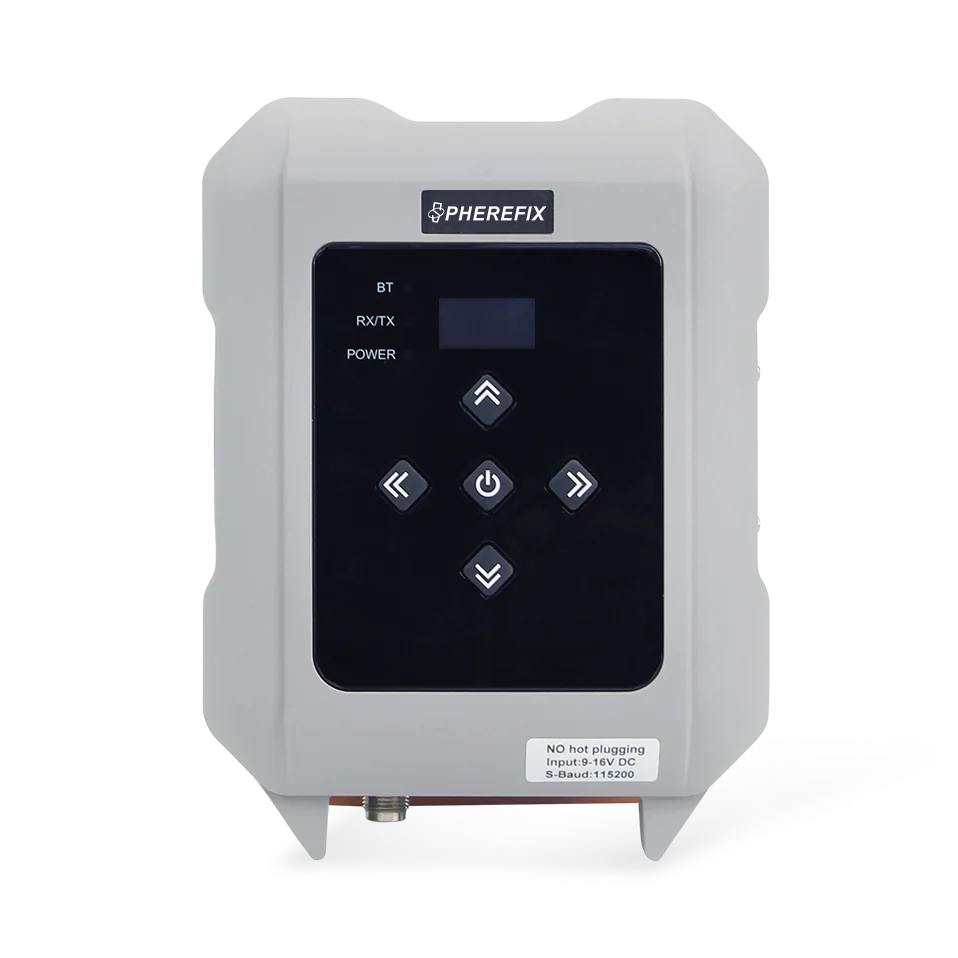
Overview
SP8635 is an external digital radio for RTK base station communication, relay transmission and long-range correction workflows. It is designed for survey projects that need reliable radio links and simple field configuration.
Specifications
External Digital RadioReal-time positioning precisionExternal digital radioTilt or core module performanceExternal digital radioModuleData LinkCategoryExternal Digital RadioTypeSP8635Model
Key Features
Feature summary for model comparison and purchase evaluation.Intelligent Baud Recognition
Automatically recognizes serial baud rates for easier connection with different RTK devices.
Single or Relay Mode
Supports direct transmission and relay operation for flexible base station communication layouts.
Local OLED Configuration
Built-in screen allows users to check channels, baud rate and working status in the field.
Multiple Protocol Support
Compatible with common survey radio protocols for broader RTK equipment integration.
Applications
Use this section to match the product with real overseas buyer requirements.
Land Surveying
RTK measurement, stakeout, topographic survey and field data collection.

Construction Layout
Site positioning, road work, infrastructure layout and earthwork workflows.

GIS Mapping
Efficient data collection for GIS, assets and mapping projects.

Precision Agriculture
Field positioning support for agriculture and land operation.

Infrastructure
Road, utility, bridge and project control workflows.
Accessories
Accessory choices depend on model, application, target country and package requirement. Confirm the final configuration with Spherefix sales before quotation.
Data Controller
Match receiver with C100T, C500 or required field controller.

External Radio
Confirm radio, NTRIP or local correction workflow.

Pole / Tripod
Select field mounting accessories for survey operation.

Battery & Charger
Confirm package list and spare battery requirements.

Carrying Case
Packaging and protection for delivery and field use.
Radio Antenna
Choose radio antenna options for local correction workflows.
Resources
Request product files for evaluation, quotation and distribution.Need price, distributor support or product files?
Send model, target country, quantity and application. Spherefix sales will recommend the right product path.